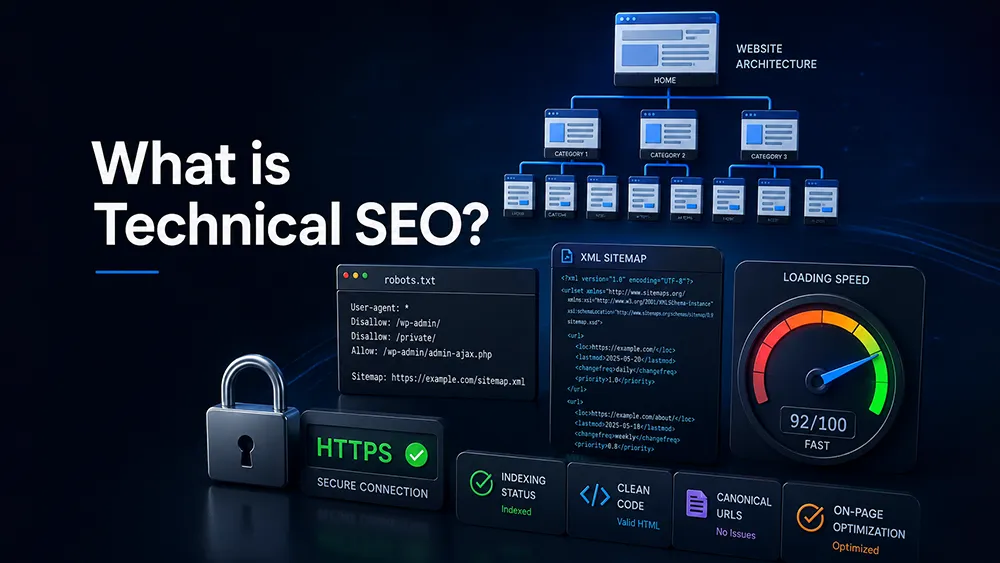
What is Technical SEO? The Business Owner’s Guide to Website Health and Infrastructure
Understanding what is technical SEO serves as the foundational step for any business owner aiming to dominate digital search results. You might have the most visually stunning website in Delhi, complete with high-end photography and persuasive copy, but if your site’s engine room is neglected, you will struggle to move past the tenth page of search results.
Technical optimization is the invisible, yet critical, work that ensures search engine spiders can access, interpret, and trust your content. When your code, database, and server architecture are meticulously refined, you remove the invisible barriers that prevent your business from reaching its target audience, ensuring your digital presence is as robust, fast, and reliable as your physical storefront in the heart of the city.
Crawlability: Making Sure Google Can Actually Explore Your Site
Crawlability is the process by which search engines discover your content. Think of your website as a library; if the librarian (Googlebot) cannot enter the building or finds all the doors locked, they cannot categorize your books (pages).
What is a Crawl Error? How Broken Pages Waste Your Digital Capital
A crawl error is a specific signal that Googlebot encountered a significant obstacle while trying to access a URL on your domain. These errors effectively act as roadblocks, causing search bots to turn around and leave your site before they index your most valuable offerings.
- DNS (Domain Name System) Errors: These are critical infrastructure failures where the server hosting your domain fails to respond to requests. If your domain is unreachable, Google cannot even begin to inspect your content, which leads to immediate de-indexing.
- Server Errors (5xx status codes): These occur when your server itself is malfunctioning. It tells Google that your hosting environment is unstable. Frequent 5xx errors suggest a lack of maintenance, causing Google to prioritize more reliable competitors in the search results.
- 404 Not Found Errors: These are the most common errors, occurring when a page is deleted or the URL path is changed without a proper redirect. When a bot encounters a 404 error, it cannot continue crawling that page. If your site has a high volume of 404 errors, search engines may view it as poorly maintained. This can also waste your crawl budget, which is the finite amount of time Google allocates to crawling your site.
The Mechanics of robots.txt: Guarding Your Site’s Critical Directories
The robots.txt file is a simple text file located at your domain’s root directory. It is the primary tool for instructing search engines on which parts of your site should be “off-limits.”
- Preventing Private Exposure: You should use this file to explicitly block search engines from accessing sensitive directories, such as your website’s backend login area, administrative folders, or private staging sites. This prevents your private data from appearing in public search results.
- Optimizing Resource Allocation: You can use robots.txt to tell Google to skip unimportant files, like heavy PDF scripts or auto-generated search result pages. By restricting access to “junk” pages, you ensure that the crawl budget is entirely dedicated to your high-value service pages.
- Providing Sitemap Locations: You can list the path to your XML sitemaps directly in your robots.txt file, which creates a clear, direct invitation for Google to find your latest, most important updates immediately upon arriving at your site.
XML Sitemaps: Providing a High-Definition Map for Search Spiders
An XML sitemap is a machine-readable directory of all the URLs you want to be indexed. It acts as a compass, guiding search spiders through the vast forest of your website architecture.
- Ensuring Visibility for New Content: Whenever you publish a new article or launch a new service, updating your sitemap triggers a signal to Google that there is fresh content waiting to be indexed, drastically reducing the time it takes for new pages to appear in search results.
- Setting Page Hierarchy: Sitemaps allow you to define the relative importance of different pages. By assigning priority levels, you signal to Google which pages form the core of your business versus which pages are secondary or supportive.
- Handling Multimedia Assets: Advanced sitemaps include metadata for images and videos. If your business relies on visual demonstrations or high-quality product imagery, including these in your sitemap is essential for your visual assets to rank in Google Images, which is an often-overlooked source of traffic.
Managing Redirection Chains: Why 301 Loops Kill Your Link Authority
Redirections are used to point users and search engines from an old URL to a new one. While useful, they can become a massive technical debt if managed poorly.
- The Danger of Redirect Chains: When Page A redirects to Page B, and Page B redirects to Page C, you create a “chain.” Every link in this chain adds milliseconds to the load time and consumes precious crawl resources. If you have many such chains, search bots may give up before they even reach the final destination.
- Infinite Redirect Loops: An infinite loop occurs when Page A redirects to Page B, but Page B is accidentally configured to redirect back to Page A. This is a critical error that prevents the page from ever being indexed and provides a terrible experience for users who click the link.
- Diluting Ranking Authority: Every time a URL is redirected, a small fraction of the “link juice” (ranking power) that page previously held can be lost. To maintain your SEO strength, always aim for direct 301 redirects from the old source directly to the final destination, avoiding unnecessary middlemen.
Indexability: Ensuring Your Revenue Pages are Saved in Google’s Database
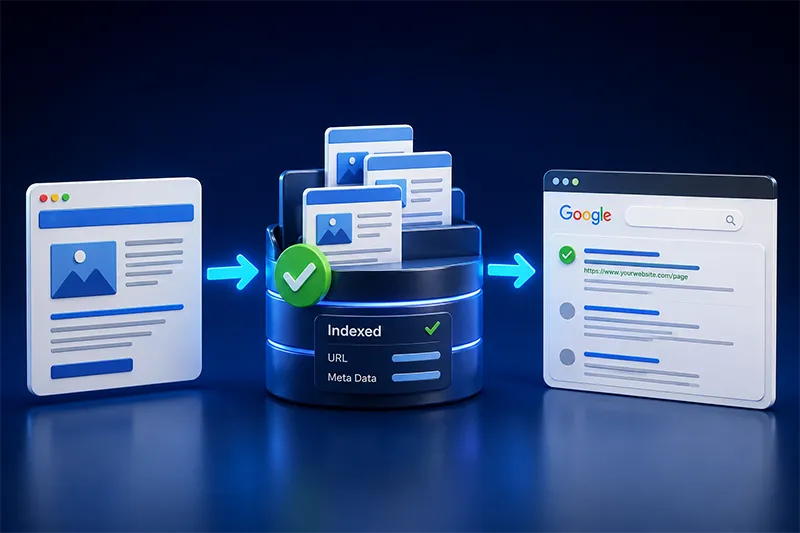
Indexability goes beyond crawling; it is the process of Google actually processing, understanding, and storing your content. If a page is crawled but not indexed, it is effectively invisible.
The Noindex Tag Mistake: How Developers Accidentally Hide Your Best Pages
The “noindex” meta tag is a powerful directive that tells a search engine, “do not show this page in your results.” When used improperly, it is one of the most common reasons a website fails to rank.
- The Danger of Staging Environments: Often, developers will add a “noindex” tag to a website while it is being built in a private, development environment to prevent it from being indexed before it is finished. The biggest mistake in the industry is forgetting to remove this tag when the site goes live. If this tag remains, your entire site will remain hidden from Google indefinitely.
- Purposeful Use for Low-Value Pages: You should strategically use “noindex” on pages that provide no value to searchers but are necessary for your site to function, such as “Thank You” pages, shopping cart checkout pages, or internal administrative dashboards. By keeping these out of the index, you ensure Google focuses its attention on your actual money-making pages.
Canonical Tags Explained: Telling Google Which Page is the Master Copy
Duplicate content occurs when similar content is accessible through multiple different URLs. Canonical tags (rel=canonical) act as a signal to Google, specifying which URL is the original, authoritative version.
- Consolidating Ranking Signals: If you have one product page that is accessible via three different URL parameters, Google might see them as three separate, “thin” pages. By placing a canonical tag on all three, you tell Google to consolidate all the ranking authority of those three pages into one single “Master” URL, effectively tripling its ranking potential.
- Preventing Duplicate Content Penalties: Without canonicalization, Google’s algorithms may become confused, potentially ignoring all versions of the page or flagging them as spam. Using canonical tags is the professional standard to ensure your best work is credited correctly.
Handling URL Parameters: Resolving Duplicate Content Issues in eCommerce Filters
In the world of eCommerce, filters (such as size, price, color, or brand) often generate a new URL for every single selection made by a user.
- Parameter Bloat: If your store has 10 products and 10 filter options, your site could potentially generate thousands of unique, indexable URLs. Googlebot will waste its entire crawl budget trying to index these filter-generated URLs, ignoring your main category pages.
- Managing Indexing via Search Console: You can use tools like Google Search Console to tell Google exactly how to treat these parameters. By setting rules to “ignore” filter parameters while keeping the base category URL active, you maintain a clean, high-performance index.
Orphaned Pages: Identifying Content That Exists But Cannot Be Found
An orphaned page is a page on your website that has no internal links pointing to it from anywhere else on the site.
- The Visibility Trap: Search engines discover your pages by following links from your home page to your category pages, and eventually to your service or product pages. If a page is not linked to, it is invisible to crawlers. Even if you have the best blog post in Delhi, if it is not linked in your navigation or sidebar, it is essentially non-existent.
- Auditing Your Links: You must perform regular audits to ensure every important page has at least one, and preferably multiple, internal links pointing to it. This improves the flow of authority throughout your site and makes it easier for users to find the information they need.
Site Security and Performance: Building a Robust Foundation

Performance and security are no longer optional “add-ons”; they are primary pillars of Google’s ranking algorithms.
Enforcing HTTPS Security: Why Browsers Flag Non-SSL Sites as Unsafe
HTTPS is the secure, encrypted version of HTTP. It is a fundamental trust signal for both users and search engines.
- Browser Warnings: If your site does not have a valid SSL certificate, modern browsers like Chrome will display a bold “Not Secure” warning to every visitor. This immediately scares away potential customers, causing your bounce rate to skyrocket and your sales to drop.
- Ranking Signal: Google has confirmed that HTTPS is a lightweight ranking signal. In a competitive market, having a secure site is the “bare minimum” requirement to be taken seriously by the search algorithm. It is non-negotiable for any business handling customer data, contact forms, or payments.
For a deeper technical breakdown of how Google discovers, processes, and stores web pages, explore Google’s official overview of crawling and indexing topics.
Core Web Vitals (LCP, CLS, INP): The Quantitative Metrics of User Happiness
Core Web Vitals are a set of three specific metrics that measure the actual user experience on your website.
- Largest Contentful Paint (LCP): This measures how long it takes for the largest piece of content on your page (usually a hero image or a main headline) to load. A site that takes longer than 2.5 seconds to load its primary content will see significant drops in organic traffic.
- Cumulative Layout Shift (CLS): This measures the visual stability of your site. Have you ever visited a site where the text jumps around as images load, causing you to accidentally click the wrong button? That is high CLS. Google penalizes sites that provide this frustrating, unstable experience.
- Interaction to Next Paint (INP): This tracks how quickly your site responds when a user interacts with it (e.g., clicking a button or opening a menu). A fast INP ensures that your site feels snappy and responsive, which is critical for mobile users in fast-paced cities like Delhi.
Optimizing Asset Delivery: Reducing Bloat from Unused JavaScript and CSS
Websites today often carry unnecessary “bloat” in the form of unused code, which slows down the browser’s ability to render the page.
- Minification: This is the process of removing all unnecessary spaces, comments, and line breaks from your code files. It makes the files smaller and faster for the browser to download.
- Deferring Scripts: Instead of forcing the browser to load every animation or tracking script as soon as the page starts loading, you can defer them. This allows the essential content, such as your text and call-to-action buttons, to appear first, improving the perceived loading speed and user experience.
- Leveraging Modern Image Formats: Traditional image formats like JPEG and PNG are often too heavy. By converting your assets to modern, compressed formats like WebP or AVIF, you can reduce image file sizes by up to 50% without any noticeable loss in visual quality, drastically speeding up your site.
Server Response Times (TTFB): Why Hosting Quality Impacts Rankings
Time to First Byte (TTFB) is the measurement of how long your server takes to “think” before it starts sending data to the browser.
- The Hosting Bottleneck: If you are using cheap, low-end shared hosting, your server is likely sluggish. It has to manage thousands of other websites on the same hardware, which slows your response times. For enterprise-grade performance, professional businesses should invest in managed hosting or VPS (Virtual Private Server) solutions.
- The Importance of Localized Latency: If your primary customers are in Delhi and the National Capital Region, your server should ideally be configured with a local data center or a Content Delivery Network (CDN) that has servers in India. This reduces the physical distance the data has to travel, resulting in a much faster experience for your local clients.
Advanced Structure: Communicating with Machines
Search engines have moved beyond simply reading text; they now use AI to understand the “meaning” of your business. Advanced structure is how you explain that meaning to them.
Schema Markup: Injecting Invisible Data for Rich Snippets and AI Readiness
Schema markup is a form of vocabulary you add to your HTML code to help search engines understand the specific entities on your page.
- Winning Rich Snippets: Schema allows your site to display “Rich Snippets”, which provide additional information in search results, such as star ratings, review counts, pricing, or event dates. These features help your search listing stand out and can significantly improve click-through rates.
- AI Search Optimization: As search engines shift toward AI Overviews and answer-driven results, they rely on structured data to pull accurate information. If you use proper schema, your business is more likely to be cited by AI as a trusted source for specific queries.
Local Business Schema: Helping Delhi-Based Companies Appear in Map Packs
Local business schema is a specific subset of structured data designed to tell Google that you have a physical location and serve a specific region.
- Verifying Your Identity: It provides the search engine with your exact office address, latitude and longitude, business hours, and phone number. This helps Google associate your website with your physical presence in Delhi.
- Map Pack Dominance: By providing this data, you increase your chances of appearing in the “Local Pack” (the map section at the top of Google). Being in the map pack is the ultimate goal for any local business in Delhi, as it captures the highest-intent traffic from people nearby.
The Power of Breadcrumb Navigation: Helping Bots Understand Your Site Hierarchy
Breadcrumbs are the small text paths (e.g., Home > Services > SEO) at the top of a page that show a user’s location within your site structure.
- Creating a Logical Map: Breadcrumbs provide a perfect internal linking structure for search engine crawlers. They show the direct relationship between your pages, allowing bots to understand the context and parent-child hierarchy of your content.
- Enhancing User Engagement: For users, breadcrumbs are a simple way to navigate back to broader categories. This keeps visitors on your site longer, which reduces bounce rates and signals to Google that your site is providing high-quality, relevant information.
Technical Housekeeping: 3 Warning Signs of Hidden Code Decay
Technical SEO is not a one-time setup; it is a maintenance routine. Ignoring the “health” of your site leads to code decay.
1. The Sudden Indexing Drop: Investigating Disappearing Pages
If you see a sudden, sharp decline in the number of pages indexed by Google, it is a red flag that something is fundamentally wrong with your technical infrastructure.
- Configuration Errors: A common cause is a mistake in your robots.txt file or a site-wide “noindex” tag accidentally left in the header code by a developer during an update.
- Server Outages: If your server was offline during a period when Google was trying to crawl your site, the search engine might drop your pages from its index to protect the quality of its results.
- Security Breaches: Sometimes, a sudden drop occurs because your site has been hacked and injected with malicious code. Google often removes infected sites from the index to protect users from malware.
2. The Mobile Viewport Error: Why Layout Shifts Hurt Your Reputation
With Google’s “Mobile-First Indexing,” the mobile version of your site is the only version that really matters. If your site breaks on a phone, you will lose rankings across the board.
- Responsive Failures: Issues like font sizes that are too small to read, or “touch targets” (buttons) that are too close together, will be flagged by Google. These errors cause users to struggle, leading them to leave your site instantly.
- Horizontal Scrolling: If your site requires a user to scroll horizontally on a phone, it is not optimized for mobile. Google penalizes these sites, as it wants to provide a seamless, easy-to-use experience for its mobile users.
3. Increased 404 Spikes: The Danger of Neglected Content Pruning
A spike in 404 errors usually happens after a site migration or a content cleanup project where old pages are removed but not redirected.
- The Broken Link Trail: When you delete a page that has external links pointing to it, you are effectively throwing away the authority that those links provided. The result is a broken link for the user and a loss of equity for your site.
- Preventive Auditing: You should always perform a “redirect map” before deleting any content. This map ensures that every old URL is matched with a relevant new one, keeping your site structure healthy and preserving your historical ranking power.
The Role of Technical Audits in a Competitive Market
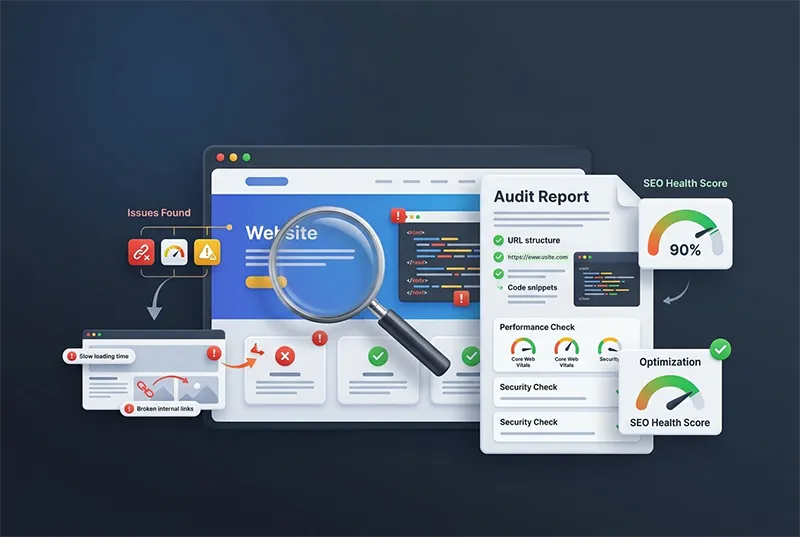
In a high-intensity market like Delhi, where businesses are increasingly competing for the same digital real estate, your website cannot afford to be sluggish or structurally disorganized. Local competitors are already investing in technical maintenance, ensuring their sites are lean, fast, and fully optimized for search engines.
A proactive technical audit is the only way to identify silent bottlenecks, such as slow server responses or unoptimized image assets, that prevent your business from ranking higher. By treating your website as an evolving digital asset rather than a static document, you can keep it visible, secure, and ready to capture demand whenever potential customers search for your services.
Final Thoughts: Investing in Technical SEO
Technical SEO is the invisible backbone that supports your entire digital strategy, ensuring that search engines can easily access and interpret your business offerings. By meticulously managing crawlability, indexability, site speed, and structured data, you build a resilient foundation that allows your content to rank effectively and withstand algorithm updates.
A technically sound website is a competitive advantage that directly impacts your bottom line by increasing organic traffic and user engagement.
Our dedicated team at Prime SEO Delhi specializes in comprehensive technical audits and high-performance infrastructure optimization to ensure your digital presence is truly world-class. Let us handle the complex code and server architecture so you can focus on scaling your business in the competitive Delhi market.
FAQs About Technical SEO
Do I need to know how to code to understand my website’s technical health?
You do not need to be a developer, but you should understand the core concepts of how search engines interact with your site. Most business owners use professional reporting tools and Google Search Console to monitor health signals without needing to write code themselves.
How often should a business run a full technical SEO audit?
For most active business websites, a comprehensive technical health check should be conducted at least once every quarter. Frequent audits ensure that updates to plugins, CMS themes, or server configurations do not introduce silent errors that could negatively affect your rankings.
Can a bad WordPress plugin completely ruin my SEO score?
Yes, a poorly coded plugin can introduce massive amounts of unnecessary JavaScript or CSS bloat, which slows down your site and damages your Core Web Vitals. Additionally, some plugins may create infinite redirect loops or generate thousands of duplicate pages, both of which can lead to catastrophic indexation issues.
Is Technical SEO a one-time setup or an ongoing process?
Technical SEO is an ongoing, iterative process. As search engine algorithms change, your site infrastructure must adapt to meet new standards. Furthermore, as your website grows and you add more pages, new opportunities for technical friction naturally arise, requiring constant oversight to maintain your peak position.
What is the link between server hosting location and local search rankings in India?
While server location is not a direct ranking factor in the same way as content, it significantly impacts page speed. Hosting your website on a server physically located in India ensures lower latency for your local customers in Delhi, which directly improves your performance metrics and user experience signals, giving you a slight edge in local search competition.
Will fixing my technical SEO automatically lead to higher traffic?
Fixing your technical SEO clears the path for Google to crawl and index your content correctly, but it is not a “magic button” for immediate top-tier rankings. It is an essential foundation that, when combined with high-quality content and authoritative link building, allows your business to reach its full organic potential by removing all technical obstacles in the path of your growth.